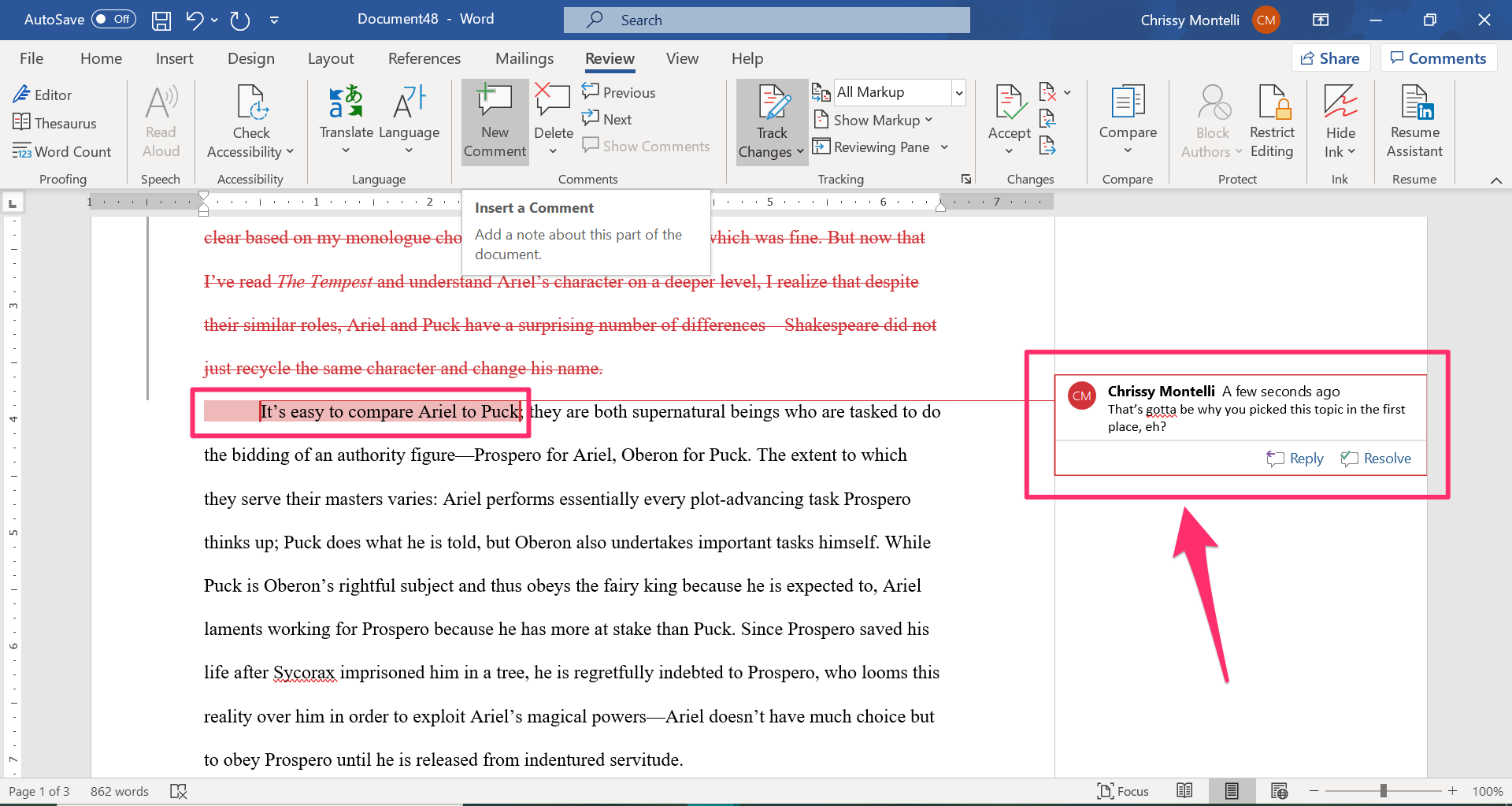
In today’s work environment, managing documents is important. Implementing track changes can really improve your process. Track changes helps with collaboration. It makes feedback and approval easier for teams. If you manage edits or feedback from many sources, you know it can be tough.
This blog post will show five reasons why using track changes is great for your document workflow. You will learn about better collaboration, version control, accountability, and transparency. This tool can change your document management. Expect a boost in efficiency with track changes. Your team can focus on what matters most, delivering results. Let’s look at these benefits and see how they can improve your work.
1. Improved Collaboration and Teamwork
Collaboration and teamwork matter for any organization. Using track changes can be a helpful tool for achieving these goals. One main benefit of track changes is real-time access to document changes and comments. This feature allows team members to see edits as they happen. It promote immediate engagement and discussion on content.
Track changes also allows multiple users to give feedback at the same time. This feature improves communication. Team members can respond to comments, suggest changes, and even debate within the documents. This is better than emailing which can make discussions unclear. Everyone is more active in developing the document.
Moreover, track changes reduces confusion about document versions. Often, team members lose track of the current version with traditional editing. Track changes shows all edits clearly. This clarity helps everyone stay on the same page. It also decreases errors and helps collaboration because everyone can see the editing history.
In conclusion, using track changes boosts collaboration and teamwork. It allows real-time feedback, supports simultaneous contributions, and clarifies document versions. This creates a cohesive approach to document management. Enhanced version control is next and it’s also managed with track changes.
2. Enhanced Version Control with Track Changes
Using track changes in document editing offers users clear revision history. This feature makes it simple to see recent edits and also enables tracing back through each modification. It provides a roadmap for the document’s progress. With track changes, it’s clear who made each change and ensures contributors get recognition.
Automated version control helps stave off common issues in document management. Working on outdated versions is a frequent error. The more people involved, the higher chance for mix-ups. Track changes reduces this problem by merging all edits into one easy-to-navigate version that keeps teams in sync, leading to lesser mistakes.
Track changes also has version comparison features. Users can see changes made between two document versions side by side. This assists with better communication in teams. It helps with checking compliance on feedback and requirements. In regulatory environments, confirming changes were made accurately is important. Implementing track changes helps teams monitor guideline adherence and maintain the document’s integrity throughout the review stages.
The features boost version control, allowing teams to manage revisions with more accuracy. As we move to the next section, we’ll focus on version management. This leads right into discussing streamlined document review and approval with track changes.
3. Streamlined Document Review and Approval Processes
One major benefit of using track changes in document workflows is that it helps streamline review and approval processes. By utilizing track changes, organizations can gather feedback from reviewers in a unified way, which helps to prevent confusion along with duplicate comments. This feedback system ensures every detail is captured, simplifying how authors address issues.
Also, the ability to manage comments and edits keeps the clutter often seen in many review rounds minimized. With track changes, reviewers add comments, suggest changes, or alter text directly within the document, which makes the approval workflow simpler. Authors see what changed and the reasons why, allowing them to focus revisions based on the given feedback. This organized method not just speeds up the review process but also improves the overall quality of documents as they go through several feedback loops.
Further, track changes can enhance review processes by including automated reminders for overdue approvals. This feature cuts delays as team members get prompted to approve documents quickly. So, 85% of companies using automated reminders notice a notable time cut in gatherings for approvals, which relates to quicker project timelines and improved efficiency.
In conclusion, using track changes in document management improves both reviews and approvals processes. By gathering feedback centrally and using automatic reminders, teams can change boring approval tasks into smooth workflows. As we think about how track changes raise accountability and clarity, these features remain vital in modern document management solutions.
4. Increased Accountability and Transparency
Using track changes offers big benefits. It greatly improves accountability in teams. Every edit made in a document shows who did it. This feature helps team members see where changes came from. It also leads to a culture of responsibility. When people know their edits are seen, they think more about their changes. This can lead to better quality work, and less careless errors.
Track changes also builds transparency. This is key for trust among team members. Everyone can view the history of edits. They can see who modified what. This avoids misunderstandings about contributions. Clarity in contributions can improve team dynamics. It supports open talks and joint problem-solving. This leads to a more inclusive editing process.
Real-time updates from track changes improve transparency even more. All involved parties are informed of changes immediately. Quick updates prevent miscommunication. Teams remain aligned with project goals and edits. Swift awareness of changes speeds up feedback loops. It encourages better workflows and keeps everyone synced during document review.
As we move to the next topic, it is clear that transparency and accountability enhance collaboration. They also add efficiency to document management workflows.
5. Efficiency Boost in Document Management Workflows
Using track changes in document workflows greatly improve productivity. Seeing edits and suggestions real-time helps team finish documents quicker. The clear visibility of changes allows team members to work together better, reducing the common back-and-forth from older document review methods.
Also, the automatic saving of edits with track changes removes the need for manual updates. This cuts the chance of losing key information. The feature saves time and makes sure every change is tracked, keeping a full history of revisions available for reference at any time.
For businesses wanting to optimize editing processes, strong plugins can be a big help. Tools from software companies like LoopIndex LLC boost the power of track changes. They allow teams to customize workflows which fits their specific needs. These upgrades make teams handle documents easier, making the entire document management workflow more efficient.
Conclusion
In summary, using track changes improves document workflow. It helps teams work together better. It provides better version control too. Each of these elements boost accountability and transparency. This leads to better document management overall.
By implementing track changes, teams can cultivate an organized work environment. This reduces mistakes and speeds up projects. Consider adding this tool to your daily tasks. You will notice how documents are managed. Your team gains clearer communication and more productivity.
Keep in mind that using track changes can improve how documents are processed. It also enhances team efficiency. This sets a path for achieving better project results. Start today and see how track changes affects your work life!
About LoopIndex LLC
LoopIndex LLC specializes in enhancing content creation and editing through robust plugins for popular editors like TinyMCE, Froala, and CKEditor 4.
In an era where efficient communication and collaboration are vital, LoopIndex’s plugins streamline the document editing process, enabling improved version control and accountability among teams managing complex documents.
Discover how LoopIndex can transform your document workflows today!