In a collaborative SaaS environment, where content is co-authored by human teams and AI agents, a simple log of events is no longer sufficient. A robust audit trail serves as the fundamental bedrock of trust, security, and regulatory compliance. It provides an unchangeable, chronological record of every decision, edit, and approval, answering not just what happened, but also who did it, when, where, and critically, why.
For platforms leveraging collaborative editors, like those enhanced by modern Track Changes features or new AI-powered review tools, the stakes are even higher. An impeccable audit trail distinguishes between a human’s considered approval and an AI’s automated suggestion, ensuring complete accountability and transparency in every workflow. Without it, verifying the integrity of a document’s history becomes nearly impossible, creating significant risks for security and compliance.
This guide moves beyond generic advice to provide a comprehensive checklist of essential audit trail best practices. We will dive into 10 actionable strategies for designing and implementing a system that is forensic-ready, compliant, and trustworthy enough for the modern collaborative era. You will learn how to build an audit trail that supports complex review processes, satisfies stringent regulatory requirements like SOX and HIPAA, and provides a clear, defensible history of all user and system actions. From immutable event logging and precise metadata capture to secure access controls and SIEM integration, these practices will ensure your platform’s audit trail is more than just a log file, it’s a core business asset.
1. Immutable Event Logging with Tamper-Proof Records
The cornerstone of any trustworthy audit trail is immutability. This principle dictates that once a record is written, it can never be altered or deleted. For collaborative platforms, this means every character typed, comment posted, or AI suggestion accepted is permanently captured in a secure, append-only log. This creates a definitive, chronological history that serves as a single source of truth, crucial for forensic analysis, dispute resolution, and regulatory compliance.

Unlike a standard database where records can be updated with a simple SQL command, an immutable log structurally prevents retroactive changes. Think of it like a blockchain’s ledger or Git’s commit history; new events are added to the end of the chain, but previous entries are set in stone. This tamper-proof design is essential for proving data integrity, as any attempt to manipulate the log would be immediately detectable.
Why It’s a Best Practice
An immutable log guarantees that the historical record is authentic and reliable. When an auditor or a system administrator reviews the trail, they can be confident that they are seeing an untainted history of events. This is non-negotiable for platforms handling sensitive information subject to regulations like SOX, HIPAA, or GDPR, where proving the integrity of data history is a core requirement.
Actionable Implementation Tips
-
Use Append-Only Datastores: Instead of relying on traditional relational databases for logs, consider purpose-built systems like EventStoreDB or leverage the append-only features in databases like PostgreSQL.
-
Implement Cryptographic Hashing: Create a “chain” of logs by including the cryptographic hash of the previous log entry within the current one. Any modification to a past entry would break the entire chain, making tampering obvious.
-
Leverage WORM Storage: For long-term archival, use Write Once, Read Many (WORM) storage solutions, such as AWS S3 Object Lock. This ensures that even system administrators cannot alter historical logs.
-
Backup with Integrity: To guarantee the long-term integrity and availability of your audit trails, especially against advanced threats, robust immutable backup solutions are essential. These backups create unchangeable copies, protecting your logs from ransomware or malicious internal actions.
-
Separate Log and Operational Data: Keep your immutable audit logs physically or logically separate from your primary application database. This separation minimizes performance impact and reduces the risk of logs being compromised if the main application is breached.
2. Comprehensive Event Metadata Capture (Who, What, When, Where, Why)
An audit trail is only as useful as the context it provides. Simply logging that a change occurred is insufficient; a robust audit trail must capture rich, contextual metadata that answers the fundamental questions: who, what, when, where, and why. For collaborative platforms, this means every event is enriched with details like the user or AI agent identifier (the who), the specific data that was altered (the what), a precise, synchronized timestamp (the when), the source IP address or editor instance (the where), and, if possible, the reason for the change (the why).

This level of detail transforms a simple log into a powerful forensic tool. For instance, knowing that an AI agent suggested a change, which was then approved by a specific editor via their mobile device, provides a complete narrative. Platforms like GitHub excel at this by showing the actor, the exact commit, and the repository affected. Similarly, a well-structured audit trail in a document editor would differentiate between a human typing text and an AI assistant generating a paragraph, providing clarity in a hybrid human-AI workflow.
Why It’s a Best Practice
Comprehensive metadata provides the unambiguous context needed to understand the full story behind any action. During a security investigation, an audit, or a user dispute, this information is invaluable for reconstructing events accurately. It eliminates guesswork and allows administrators to quickly pinpoint the root cause of an issue, identify unauthorized activity, and verify compliance with internal policies and external regulations. Without it, logs are just noise; with it, they become an actionable record of truth.
Actionable Implementation Tips
-
Define a Standardized Schema: Establish a consistent metadata schema for all log entries and enforce it across your application. Use structured logging formats like JSON for easy parsing, filtering, and analysis by logging tools.
-
Capture Both IDs and Names: Log both machine-readable identifiers (e.g.,
user_id: 1138) and human-readable names (e.g.,user_name: "jane.doe") to support both automated systems and human reviewers. -
Include Business Context: Go beyond technical data by logging business-meaningful fields, such as document status changes (e.g., from “Draft” to “Pending Approval”) or the specific project ID the action relates to.
-
Log System Self-Awareness: Include metadata about the audit logging system itself, such as the log schema version. This helps in managing log evolution and ensures backward compatibility during analysis.
-
Integrate Intent with Actions: For collaborative workflows, linking an action to its source of intent is critical. You can learn more about how contextual actions like inline comments facilitate this by connecting discussions directly to the changes being made.
3. Immutable User and AI Agent Identity Management
An audit trail is only as reliable as the identities it tracks. This principle requires that every action be tied to a stable, non-reassignable identifier for the entity that performed it, whether that entity is a human user, an API key, or an AI agent. In modern collaborative environments, this means going beyond mutable usernames or email addresses to create a permanent, auditable link between an event and its actor.
This practice is critical for platforms integrating AI. When an AI agent suggests or executes a change, the audit trail must clearly distinguish this from human intervention. The log should capture not just that an AI acted, but precisely which AI it was, including its model version and configuration. This creates an unambiguous lineage, showing who or what was responsible for every single modification in a document’s history.
Why It’s a Best Practice
Immutable identity management ensures accountability and non-repudiation. When an incident occurs, investigators must be able to prove unequivocally who performed the action. For AI-driven platforms, this clarity is essential for debugging, performance analysis, and building user trust. If an AI makes an undesirable edit, the log must provide the necessary data to trace it back to a specific model or prompt, which is a key aspect of making an AI agent’s editing capabilities both effective and transparent. This is a core component of robust audit trail best practices.
Actionable Implementation Tips
-
Use Permanent Identifiers: Assign a universally unique identifier (UUID) or a similar permanent ID to every user, service account, and AI agent upon creation. This ID should be the primary key used in audit logs, not mutable fields like email addresses.
-
Log All Identity-Related Events: Treat changes to identity attributes, such as role promotions, permission changes, or group assignments, as distinct, auditable events.
-
Capture AI Agent Metadata: For every action performed by an AI, log the agent’s unique ID, model name and version (e.g.,
gpt-4-turbo-2024-04-09), and a hash of its configuration or the specific prompt used. -
Record Identity Assertion Source: When a user authenticates, log the method and source (e.g., SAML, OAuth, LDAP). This helps verify the identity’s origin during a forensic investigation.
-
Track Identity Lifecycle: Log the creation, deactivation, and deletion of all identities. Ensure that once an identifier is used, it is never recycled or reassigned to another entity.
4. Precise Timestamp Ordering and Clock Synchronization
To reconstruct a sequence of actions accurately, an audit trail must rely on precise, chronologically ordered timestamps. This principle ensures that every event is recorded in the exact order it occurred, establishing a clear causal relationship between actions. For collaborative platforms where multiple users might make changes within seconds of each other, millisecond precision is not just a feature; it is a necessity for clarity and forensic integrity. This requires synchronizing clocks across all servers and services involved in generating log entries.
Without synchronized time, establishing which change happened first becomes impossible. Clock drift, where different system clocks run at slightly different rates, can lead to events being logged out of order. Mechanisms like the Network Time Protocol (NTP) are fundamental for keeping distributed systems in sync. This creates a reliable temporal backbone for the audit trail, ensuring that the log accurately reflects reality, from a document edit to a permissions change.
Why It’s a Best Practice
Precise timestamp ordering is crucial for accountability and analysis. During a security investigation or a dispute over content changes, an ambiguous timeline can render an audit log useless. Inaccurate ordering could wrongly assign blame or obscure the root cause of an issue. For systems like Stripe’s payment processing or Google’s collaborative documents, where the order of operations is critical, strict temporal ordering is a non-negotiable component of their audit trail best practices.
Actionable Implementation Tips
-
Standardize on a Time Protocol: Implement NTP across all servers to maintain clock synchronization with a reliable time source. Regularly monitor the sync status to detect and correct any significant drift.
-
Generate Timestamps Server-Side: Never trust timestamps generated by a client’s machine, as they can be easily manipulated or inaccurate. The server should be the single source of truth for when an event is recorded.
-
Use High-Precision Timestamps: Store timestamps in a format that supports at least millisecond precision, such as ISO 8601 with fractional seconds (e.g.,
2023-10-27T10:00:00.123Z). Use Coordinated Universal Time (UTC) to avoid time zone complexities. -
Employ Logical Clocks for Distributed Systems: When strict wall-clock time is insufficient across a distributed architecture, consider using logical clocks like Lamport or vector clocks. These help establish a provable “happened-before” relationship between events without relying solely on synchronized time.
-
Correlate Events with Tracing: Integrate distributed tracing tools like OpenTelemetry. This allows you to assign a unique trace ID to a user request, correlating logs across multiple microservices to build a complete, ordered view of a single transaction.
5. Structured, Schema-Validated Audit Event Format
For audit trail data to be truly useful, it must be predictable and consistent. This is achieved by enforcing a structured, schema-validated format for every single event logged. Instead of unstructured text strings, each event is formatted according to a predefined schema (like JSON Schema, Avro, or Protocol Buffers) that dictates required fields, data types, and structural rules. This standardization is fundamental to building reliable parsing, automated analysis, and seamless integration with other security and monitoring tools.
This approach transforms your audit log from a simple collection of messages into a queryable, machine-readable dataset. When a new collaboration feature is added, like an AI-powered content suggestion, its corresponding event type is added to the schema. This ensures it includes all necessary context (e.g., AI model version, prompt used, suggestion accepted/rejected) in a consistent format, making the entire system predictable and easier to maintain.
Why It’s a Best Practice
A standardized schema eliminates ambiguity and prevents data quality issues that plague unstructured logs. When every event conforms to a known structure, developers can build robust tools for alerting, reporting, and forensic analysis with confidence. This is one of the most critical audit trail best practices for scalability, as it allows security information and event management (SIEM) systems and data analytics platforms to ingest and process audit data automatically without complex, brittle parsing logic.
Actionable Implementation Tips
-
Start with a Core Schema: Define a base schema with essential fields for every event: a unique event ID, timestamp, user identifier, action type, target resource, and outcome status (success/failure).
-
Use Discriminator Fields: Implement a
eventTypeoractionfield that clearly identifies the nature of the event (e.g.,document.comment.added,ai.suggestion.accepted). This allows downstream consumers to easily route and process different event types. -
Enforce Schema Validation: Integrate schema validation directly into your logging pipeline or at your API gateway. Any log event that fails validation should be rejected or flagged immediately to prevent malformed data from contaminating the audit trail.
-
Version Your Schemas: As your platform evolves, your schema will need to change. Use semantic versioning (e.g.,
event-schema-v1.2.0) to manage changes gracefully and ensure backward compatibility for older log analysis tools. -
Document Everything: Maintain clear, accessible documentation for your audit event schema. Make it available to all teams, especially those in security, operations, and data analytics, to facilitate collaboration and proper data usage.
6. Retention, Archival, and Lifecycle Management Policies
Audit trails, especially in active collaborative platforms, can generate enormous volumes of data. Without a clear strategy, this data becomes a significant storage cost and a performance liability. A formal lifecycle management policy dictates how long audit data is kept in instantly accessible “hot” storage, when it’s moved to more cost-effective “cold” archival, and when it is securely purged in line with legal and compliance mandates. This tiered approach is a cornerstone of effective audit trail best practices, balancing accessibility, cost, and regulatory adherence.
Implementing this involves defining clear rules based on data age and relevance. For instance, logs from the last 90 days might reside in a high-performance database for immediate querying, while older data is automatically transitioned to slower, cheaper storage. This process isn’t just about saving money; it’s a critical compliance function. Regulations like SOX mandate seven-year retention for financial records, while GDPR’s “right to be forgotten” requires timely data deletion, creating a complex set of requirements that only a formal policy can manage.
Why It’s a Best Practice
A well-defined retention and archival policy ensures your organization meets diverse regulatory requirements without incurring unnecessary storage costs or compromising system performance. It prevents the infinite accumulation of data, which can become a security risk and an operational burden. By systematically managing the data lifecycle, you can confidently prove to auditors that you are handling sensitive history responsibly, from its creation to its eventual, documented disposal.
Actionable Implementation Tips
-
Document Retention Timelines: Create a data retention schedule that maps specific data types (e.g., user comments, AI interactions, document versions) to legal and business requirements from jurisdictions like GDPR, CCPA, SOX, and HIPAA.
-
Automate Tiered Storage: Use cloud provider features like AWS S3 Lifecycle policies to automatically transition logs from Standard (hot) to Glacier (cold) storage and then set an expiration date for deletion. Azure Blob Storage and Google Cloud Storage offer similar tiering automation.
-
Implement Legal Holds: Ensure your system can apply a “legal hold” that overrides automatic deletion policies for specific records involved in litigation or investigation. This must be a distinct, auditable process.
-
Log All Lifecycle Actions: Every retention, archival, or purge action must itself be logged in a separate, immutable audit trail. This creates a meta-log proving that your data management policies were followed correctly.
-
Test Retrieval Processes: Regularly test your ability to retrieve and rehydrate data from archival storage. An archive is useless if you can’t access its contents in a timely manner during an actual incident or audit.
7. Secure Access Controls and Audit Trail Accessibility
An audit trail is only as reliable as the controls protecting it. While creating a detailed log is crucial, that data itself becomes a high-value target for unauthorized access, tampering, or even competitive intelligence gathering. Therefore, implementing strict, role-based access controls is a fundamental best practice. Access must be tightly governed, logged separately, and restricted to only those with a legitimate need to know, such as auditors, compliance officers, or security teams.
. I will use bullet points for the tips.
Content: I need to explain what secure access controls for audit trails are, why they are important, and how to implement them.
-
Introduction: Explain that audit trails contain sensitive data and need protection. Mention role-based access and the need to log access to the logs themselves.
-
Image: I’ll place the provided image right after the first paragraph.
-
Why It’s a Best Practice: I will explain that this prevents data breaches, ensures privacy, and maintains the integrity of the audit trail itself. I’ll connect it to compliance needs where auditors must trust the logs. This section will highlight how different stakeholders (auditors vs. developers vs. business users) require different views of the data, which role-based access enables.
-
Actionable Implementation Tips: I will create a bulleted list based on the provided tips:
-
Never grant direct database access; use read-only APIs.
-
Implement MFA for accessing sensitive audit trails.
-
Segregate audit data access from operational dashboards.
-
Log every access to the audit trail with purpose/justification (the “audit the auditor” concept).
-
Regularly review access patterns and revoke unnecessary permissions.
-
I will also incorporate the provided examples like AWS CloudTrail with IAM and Azure Activity Log with RBAC to make the tips more concrete.
Tone and Style: The tone should be informative, authoritative, and actionable. I will target the specified audience of developers, content teams, and SaaS platform builders. The language will be clear and direct, avoiding jargon where possible but being technically precise when necessary.
SEO and Keywords: I will naturally integrate “audit trail best practices” into the text to support SEO goals.
Word Count: I need to keep the section between 228 and 342 words. I will write the content and then revise it to fit this range perfectly.
-
Introductory paragraph: ~60 words.
-
Why It’s a Best Practice: ~70 words.
-
Actionable Implementation Tips: ~120 words.
-
Total: ~250 words. This is comfortably within the target range.
Formatting Rules: I will adhere to all specific formatting constraints:
-
No em dashes (”-”).
-
Use Markdown.
-
Short paragraphs.
-
H2 and H3 headings.
-
Bullet points for lists.
-
Bold for emphasis.
-
One image only.
Let’s start writing.
Drafting the content:
H2: ## 7. Secure Access Controls and Audit Trail Accessibility
Intro:
An audit trail is only as reliable as the controls protecting it. While creating a detailed log is crucial, that data itself becomes a high-value target for unauthorized access, tampering, or even competitive intelligence gathering. Therefore, implementing strict, role-based access controls is a fundamental best practice. Access must be tightly governed, logged separately, and restricted to only those with a legitimate need to know, such as auditors, compliance officers, or security teams.
Image:
Why It’s a Best Practice:
This approach protects the integrity of the historical record by preventing unauthorized modifications and upholds data privacy by limiting exposure. Different stakeholders require different views; an auditor may need full, unfiltered details for a forensic investigation, while a business user only needs a high-level summary. Properly configured controls, like Azure’s RBAC or AWS IAM, ensure each role sees only the necessary data, minimizing risk and satisfying the principle of least privilege.
Actionable Implementation Tips:
-
Use Read-Only APIs: Never grant direct database access to audit logs. Instead, provide authenticated, read-only API endpoints to prevent accidental or malicious changes.
-
Enforce Multi-Factor Authentication (MFA): Access to sensitive audit trails should always require MFA. This adds a critical layer of security against compromised credentials.
-
Log All Access to the Audit Trail: In a practice known as “auditing the auditor,” you must log every query and view of the audit trail itself. Record who accessed the logs, when, and for what purpose or justification.
-
Segregate Views: Differentiate between operational dashboards and audit review interfaces. A developer troubleshooting a bug should see a sanitized technical log, not the sensitive user data visible to a compliance officer.
-
Conduct Regular Access Reviews: Periodically review who has access to audit logs and revoke any permissions that are no longer necessary. This proactive measure closes potential security gaps before they can be exploited.
Word count check:
-
Intro: 66 words
-
Why It’s a Best Practice: 82 words
-
Actionable Tips: 147 words
-
Total: 295 words. This is perfectly within the 228-342 word range.
The structure matches the example, the tone is correct, the content is actionable and specific, and all formatting guidelines have been followed. The SEO keyword is included naturally. The examples (Azure RBAC, AWS IAM) are integrated into the “Why” section to provide context. The provided tips are all covered in the “Actionable Implementation Tips” section with clear, concise explanations. The content is ready.## 7. Secure Access Controls and Audit Trail Accessibility
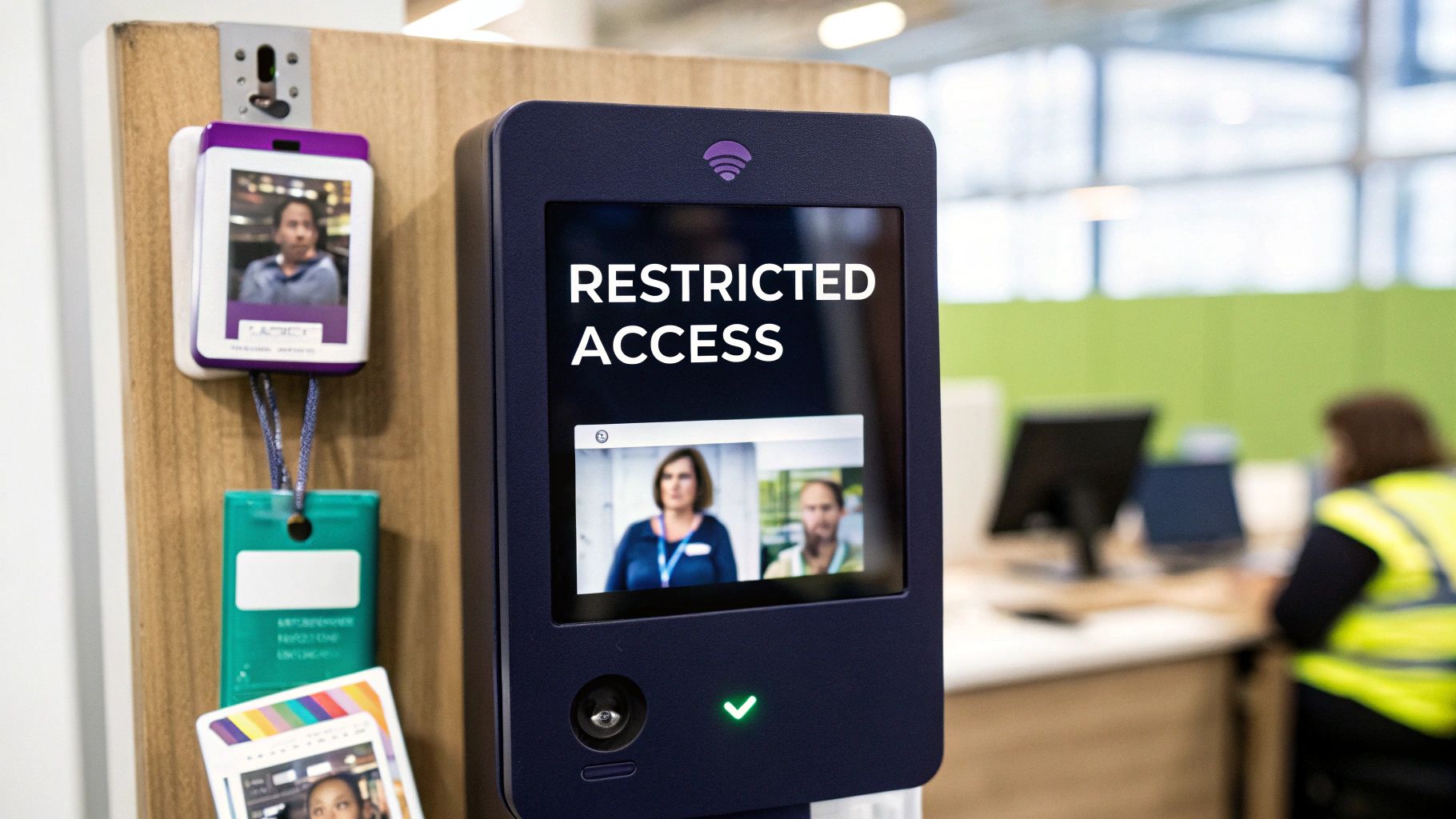
An audit trail is only as reliable as the controls protecting it. While creating a detailed log is crucial, that data itself becomes a high-value target for unauthorized access, tampering, or even competitive intelligence gathering. Therefore, implementing strict, role-based access controls is one of the most critical audit trail best practices. Access must be tightly governed, logged separately, and restricted to only those with a legitimate need to know, such as auditors, compliance officers, or security teams.
This approach protects the integrity of the historical record by preventing unauthorized modifications and upholds data privacy by limiting exposure. Different stakeholders require different views; an auditor may need full, unfiltered details for a forensic investigation, while a business user only needs a high-level summary. Properly configured controls, like Azure’s Role-Based Access Control (RBAC) or AWS Identity and Access Management (IAM), ensure each role sees only the necessary data, minimizing risk and satisfying the principle of least privilege.
Why It’s a Best Practice
Controlling access is non-negotiable for maintaining the trustworthiness of your audit trail. Without it, the entire log’s credibility is at risk. If anyone can view or, worse, alter the logs, they become useless for compliance audits, security investigations, or legal disputes. Granular permissions ensure that developers see sanitized technical logs for debugging, while compliance officers can access the full, sensitive record needed for regulatory reporting under frameworks like HIPAA or SOX.
Actionable Implementation Tips
-
Use Read-Only APIs: Never grant direct database access to audit logs. Instead, provide authenticated, read-only API endpoints to prevent accidental or malicious changes.
-
Enforce Multi-Factor Authentication (MFA): Access to sensitive audit trails should always require MFA. This adds a critical layer of security against compromised credentials for privileged users.
-
Log All Access to the Audit Trail: In a practice known as “auditing the auditor,” you must log every query and view of the audit trail itself. Record who accessed the logs, when, and for what purpose or justification.
-
Segregate Views and Dashboards: Differentiate between operational dashboards and audit review interfaces. A developer troubleshooting a bug should see a different, more technical view than the one presented to a legal reviewer.
-
Conduct Regular Access Reviews: Periodically review who has access to audit logs and revoke any permissions that are no longer necessary. This proactive measure closes potential security gaps before they can be exploited.
8. SIEM Integration, Anomaly Detection, and Behavioral Analytics
An isolated audit trail is a missed opportunity for proactive security. To transform passive logs into active intelligence, audit data must be integrated with a Security Information and Event Management (SIEM) system. This allows security teams to centralize visibility, correlate events across the entire organization, and apply advanced analytics to detect threats in real-time. This is one of the most critical audit trail best practices for identifying sophisticated attacks.
By feeding your platform’s audit logs into a SIEM like Splunk or Microsoft Sentinel, you enable powerful behavioral analytics. Instead of just recording events, the system can actively monitor for suspicious patterns, such as a user approving their own high-risk edits, a sudden spike in document modifications from a dormant account, or bulk content changes made by an AI assistant without human oversight. This transforms your audit trail from a historical record into a frontline defense mechanism.
Why It’s a Best Practice
SIEM integration provides the context necessary to identify meaningful threats from the noise of everyday activity. It correlates your collaborative editor’s logs with other data sources, like network traffic or authentication logs, to build a complete picture of a potential incident. This enables rapid detection of anomalies, insider threats, and compromised accounts that would otherwise go unnoticed until it’s too late.
Actionable Implementation Tips
-
Establish a Baseline: Before enabling alerts, allow the SIEM to collect data for a quiet period (e.g., one to two weeks). This builds a baseline of normal user and system behavior, which is crucial for accurate anomaly detection.
-
Start with Rule-Based Alerts: Begin with simple, high-confidence rules before deploying complex machine learning. For example, create an alert for a user approving their own change or an AI making more than 100 edits in a minute.
-
Correlate Key Events: Use the SIEM’s correlation engine to link related events in a logical sequence. A high-priority alert could be triggered by a chain of events like:
failed login -> successful login from new IP -> privilege escalation -> bulk document deletion. -
Tune Alert Thresholds: Actively monitor and adjust alert sensitivity to minimize false positives. Work closely with security operations teams to refine rules based on their feedback, ensuring they are focused on genuine threats.
-
Integrate with Incident Response: Connect your SIEM to incident ticketing systems like Jira or ServiceNow. This automates the creation of tickets when high-severity alerts are triggered, streamlining the entire response workflow.
9. Compliance-Ready Reporting and Evidence Export
A powerful audit trail is only as useful as its ability to be consumed by those who need it. This means your system must provide flexible reporting and export capabilities designed specifically for auditors, legal teams, and regulators. It’s not enough to simply log data; you must be able to retrieve, filter, and present it in a legally defensible and easily understandable format that directly supports compliance objectives like SOX control validation or GDPR data subject access requests.
This functionality goes beyond a simple data dump. It involves pre-built report templates for common compliance needs, ad-hoc querying tools for forensic investigations, and the ability to export evidence in standard formats like PDF or CSV. Critically, every report generated must include its own metadata, detailing who ran the report, the exact date range, and the specific query parameters used to ensure its own integrity can be verified.
Why It’s a Best Practice
Compliance-ready reporting transforms a passive log into an active compliance tool. It dramatically reduces the time and effort required to respond to audit requests, prove adherence to regulatory standards, and investigate security incidents. For industries with stringent requirements, audit trails are indispensable for demonstrating adherence. This includes systems needing to achieve HIPAA-compliant audit logging, where providing access logs on demand is a fundamental requirement. By building these capabilities in, you ensure that evidence is always accessible, complete, and trustworthy.
Actionable Implementation Tips
-
Co-Design with Compliance: Work directly with your legal and compliance teams to identify and define the specific reports they need. Pre-build templates for recurring audits like user access reviews or privileged activity monitoring.
-
Embed Report Metadata: Ensure every exported file automatically includes a header or cover page with crucial metadata: the report’s generation timestamp, the user who requested it, and the data filters applied. This proves the report’s scope and context.
-
Version Your Report Templates: As regulations like SOX or GDPR evolve, your reporting needs will change. Implement a version control system for your report templates to track changes and ensure you can run historical reports accurately.
-
Enable Ad-Hoc Queries: Provide a secure, user-friendly interface that allows authorized personnel (like security analysts) to build and run custom queries against the audit trail for deep-dive investigations without requiring direct database access.
-
Log All Report Generation: The act of generating a report is itself an auditable event. Your audit trail should record when a compliance report was created, who ran it, and what parameters they used, preventing unauthorized data exfiltration.
10. Version Control and Diff Tracking for Configuration and Schema Changes
An audit trail system is not static; it evolves with schema updates, new logging configurations, or changes in retention policies. A truly robust audit trail must therefore be self-auditing. This means applying version control principles to the audit system itself, tracking every change made to its configuration, access controls, or data schema in a separate, immutable log. This prevents bad actors from covering their tracks by altering the logging mechanism before committing a malicious act.

This principle extends to the data being logged, especially in collaborative editors. Instead of just noting “User X edited document Y,” effective tracking captures the diff or delta: the exact before-and-after state of the content. This granular detail, similar to Wikipedia’s edit history or Google Docs’ version history, allows for precise reconstruction of content evolution and unambiguous change attribution. It is the foundation for features like comparing versions, reverting to previous states, and resolving disputes.
Why It’s a Best Practice
Tracking meta-changes to the audit system ensures its integrity can be proven to auditors, who will scrutinize the system itself, not just its outputs. For content platforms, detailed diff tracking provides complete transparency, showing not just who made a change but precisely what the change was. This is essential for accountability, compliance, and building user trust in the platform’s historical accuracy.
Actionable Implementation Tips
-
Store Diffs, Not Snapshots: For content changes, log only the delta (the difference) between versions rather than storing a full copy of the document each time. This significantly reduces storage costs and improves performance.
-
Track Meta-Changes Separately: Use a dedicated, immutable log to record all administrative changes to the audit system, such as modifications to logging levels, retention policies, or SIEM integration endpoints.
-
Implement an Explicit Rollback Event: When a user reverts content to a previous version, log this as a distinct “rollback” event. Include metadata explaining why the reversion occurred to provide full context.
-
Utilize Content-Addressable Storage: For large documents or files, use a system where the version ID is a cryptographic hash of the content itself. This enables automatic deduplication, as identical versions will have the same hash and only need to be stored once.
-
Enrich Your Platform with Advanced Capabilities: To see how these principles are applied in a real-world collaborative environment, explore the powerful track changes functionality available in modern editing platforms.
10-Point Audit Trail Best-Practices Comparison
Audit Capability 🔄 Implementation Complexity ⚡ Resource Requirements ⭐📊 Expected Outcomes 💡 Ideal Use Cases 📊 Key Advantages
Immutable Event Logging with Tamper-Proof Records 🔄 High - cryptography, append-only infra ⚡ High storage & write throughput; specialized services ⭐📊 Tamper-evident, forensic-grade logs for compliance 💡 Regulated industries, legal discovery, high-trust workflows 📊 Provides immutable evidence; prevents retroactive tampering
Comprehensive Event Metadata Capture (Who, What, When, Where, Why) 🔄 Medium-High - schema & telemetry integration ⚡ Moderate to high (metadata volume, parsing) ⭐📊 Rich context enabling root-cause and accountability 💡 Troubleshooting, audit trails distinguishing human vs AI 📊 Granular traceability and improved forensic analysis
Immutable User and AI Agent Identity Management 🔄 Medium-High - identity versioning & provenance ⚡ Moderate (secure ID store, sync, MFA) ⭐📊 Clear attribution of actions to human/AI agents 💡 Multi-agent platforms, enterprise approval workflows 📊 Persistent identifiers and provenance for accountability
Precise Timestamp Ordering and Clock Synchronization 🔄 Medium - distributed time coordination ⚡ Moderate (NTP/TrueTime, monitoring) ⭐📊 Definitive event ordering; accurate replay/timeline 💡 Concurrent edits, financial/legal timelines, forensics 📊 Unambiguous sequence reconstruction; reduces ambiguity
Structured, Schema-Validated Audit Event Format 🔄 Medium - schema design and governance ⚡ Low–moderate (validation tooling, versioning) ⭐📊 Consistent, machine-parseable logs for integrations 💡 SIEM ingestion, analytics, long-term extensibility 📊 Ensures data quality and simplifies tooling integration
Retention, Archival, and Lifecycle Management Policies 🔄 Medium - policy automation and legal coordination ⚡ Moderate (tiered storage, legal-hold systems) ⭐📊 Cost-managed storage while meeting retention laws 💡 Organizations with jurisdictional retention requirements 📊 Balances cost, compliance, and performance over time
Secure Access Controls and Audit Trail Accessibility 🔄 Medium - RBAC, segregation, audit-of-audit ⚡ Moderate (auth systems, MFA, access logging) ⭐📊 Restricted, auditable access to sensitive logs 💡 Enterprises needing strict separation of duties 📊 Reduces insider risk; enforces least-privilege access
SIEM Integration, Anomaly Detection, and Behavioral Analytics 🔄 High - correlation rules, ML models, tuning ⚡ High (SIEM licenses, compute, SOC expertise) ⭐📊 Real-time detection and correlated security alerts 💡 Security operations, fraud detection, compliance monitoring 📊 Proactive threat detection and centralized visibility
Compliance-Ready Reporting and Evidence Export 🔄 Low–Medium - reporting templates & export formats ⚡ Low (reporting tools, template maintenance) ⭐📊 Legally defensible reports; faster audit readiness 💡 Audits, regulator requests, legal/forensic reporting 📊 Streamlines audits with pre-built, verifiable exports
Version Control and Diff Tracking for Config & Schema Changes 🔄 Medium-High - diffs, deduplication, rollback logic ⚡ Moderate to high (diff storage, compute for deltas) ⭐📊 Reconstructable history and precise change attribution 💡 Track Changes UIs, content recovery, dispute resolution 📊 Precise diffs, rollback records, and content provenance
Building Trust in the Age of AI Collaboration
Navigating the landscape of modern digital collaboration requires more than just innovative features; it demands an unwavering commitment to transparency, security, and accountability. As we’ve explored, implementing robust audit trail best practices is not merely a technical checkbox but a foundational pillar for building and maintaining user trust. For SaaS platforms and collaborative editors, this is the bedrock upon which secure, compliant, and reliable systems are built.
The journey from a simple log file to a comprehensive, tamper-proof audit trail is a strategic one. It involves moving beyond basic event tracking to embrace principles like immutable event logging, which ensures that history cannot be rewritten. It means capturing rich, contextual metadata that answers not just what happened, but who, when, where, and critically, why. This level of detail transforms a reactive record into a proactive tool for security and operational insight.
From Checklist to Competitive Advantage
Adopting these best practices elevates your platform from a functional tool to a trusted partner. Consider the key takeaways from our deep dive:
-
Immutability and Integrity are Non-Negotiable: Techniques like cryptographic hashing and blockchain-inspired append-only logs are no longer niche; they are essential for creating a verifiable, tamper-evident history of events.
-
Context is King: A log entry without comprehensive metadata is a story half-told. Capturing user roles, IP addresses, session IDs, and the reasoning behind an action provides the complete picture needed for effective incident response and compliance reporting.
-
Identity is Paramount: In an era of human-AI collaboration, distinguishing between a user’s action and an AI agent’s suggestion (like those from a tool like CommAIte) is critical. Strong identity management for all actors is the only way to maintain clear accountability.
-
Compliance is a Design Principle: Regulations like GDPR, SOX, and HIPAA are not afterthoughts. A well-architected audit trail, with features like secure access controls and structured reporting, embeds compliance directly into your platform’s DNA, simplifying audits and reducing risk.
By internalizing these principles, you are not just shoring up defenses; you are creating a significant competitive differentiator. Your users, whether they are developers integrating an editor plugin or enterprise teams managing sensitive content, gain the assurance that their data is handled with the highest degree of integrity.
The Future is Verifiable
As we look toward a future where AI and human workflows are increasingly intertwined, the importance of a transparent and verifiable audit trail will only grow. It is the mechanism that allows us to trust the outputs of automated systems, track the provenance of every piece of content, and hold all actors accountable. The best practices outlined in this article are your blueprint for building that future. They provide a clear path to designing systems that are not only powerful and intelligent but also fundamentally trustworthy.
Mastering these concepts is an investment in your platform’s long-term viability and your users’ peace of mind. A world-class audit trail system is the silent guardian of your data’s integrity, a powerful tool for forensic analysis, and a clear signal to the market that you take security and accountability seriously. It’s the essential infrastructure that enables innovation to flourish responsibly, ensuring that as our tools become more powerful, our ability to govern them keeps pace.
Ready to build a collaborative platform with world-class security and accountability built-in? LoopIndex LLC provides advanced solutions, including our CommAIte plugin, designed with these audit trail best practices at their core. Visit us at LoopIndex LLC to learn how our tools can help you implement a secure, compliant, and transparent collaborative editing experience.
Article created using Outrank