Engaging with an AI agent feels remote, yet think of it as your editor. This article will look at ways to boost your communication with AI chatter and AI agent software. Features like track changes and inline comments help to humanize AI, making it essential to your content workflow.
Are you looking to simplify editing? Improve how you use your AI tools. This post provides strategy and best practices to blend AI agents into your creative tasks. You’ll see how to use these tools beyond just assistants, becoming partners in your writing process. Discover how to utilize your AI agent effectively and transform your content creation.
Understanding AI Chatter
AI chatter is the interaction that happens between users and AI agents. This communication uses natural language processing to create conversations that feel human. As tech grows, AI chatter is vital in how we talk. Businesses and people look to improve content creation and editing.
AI agent software changed how we use tech by making chats more natural and involveing. These systems analyze the context, understand user intent, and produce tailored responses. This creates a smooth communication process. The changeability of AI chatter shows when it uses feedback and gets better with time, leading to a better user experience.
Humanizing AI can help boost user experience with AI agents. When users talk with these systems, they desire warmth and familiarity in their chats. By adding personality to AI responses, this can be achieved. Humanized AI allows users to engage more deeply with the system, which is key for creators who want to create better interactions between people and machines.
Understanding how to grow AI chatter interactions is essential for maximizing it. Advanced AI agent software can promote responsive and easygoing dialogues, boosting productivity and creativity, especially in content creation tasks.
Now that we understand AI chatter and its effects, we can turn to the main features of top AI agent software that make these conversations more engaging.
Top AI Agent Software Features
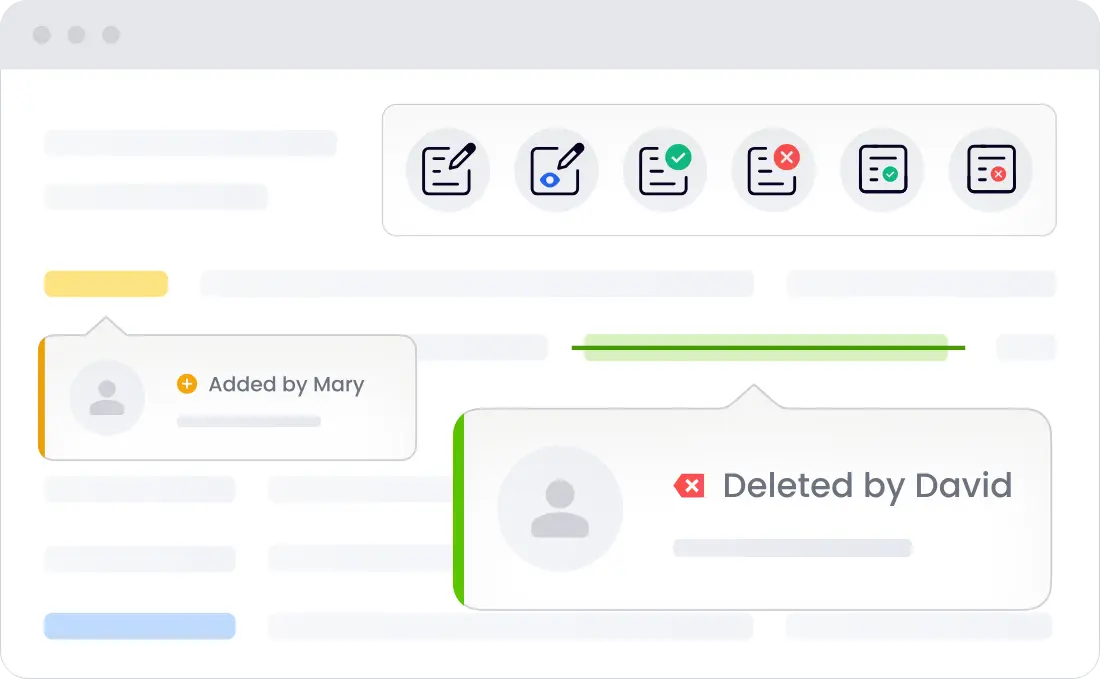
AI chatter and agent software are changing how we edit documents. These software solutions are crucial in today’s workflow. A key feature is tracking changes and inline comments. These tools improve team collaboration and make editing easier.
Tracking changes means logging every edit. This promotes openness and helps people see what needs work or discussion. Inline comments are also valuable. They allow users to leave notes on specific sections, preventing the confusion often caused by generic feedback.
The best AI agent software integrates well with traditional editing tools, allowing users to access AI features without much effort. This smooth change improves teamwork. AI agents can also help in real-time by suggesting fixes or creating content based on users’ requests, becoming vital editorial team members.
These features show how AI helps workflows and improves interaction as editing methods shift. The mix of human skill and AI functionality enhances the editing journey, leading to better content output. When AI aids in this process, higher-quality pieces are more likely.
Changing how we use AI lays the groundwork for humanizing these tools better. This shift transforms the AI agent into more than a software solution. They become partners in creating and editing, improving overall collaboration.
Humanize AI With User Interaction
Humanizing AI through interaction is crucial for a good relationship between users and AI chatter. One big strategy is to create personalized and empathetic responses. Using language that shows an understanding of user needs allows AI to talk in a way that feels smart and relatable. This improves user experience and creates connections beyond mere transactions.
Besides empathetic replies, AI agent software should create interactive dialogue. Users should be able to ask questions and receive tailored responses that adapt to the context of the conversation. For example, AI agents can learn to notice user feelings or preferences and communicate in ways that connect more closely with users. Such dialogues form a dynamic conversation model in which users feel valued.
Keeping the brand’s voice during interactions is also essential. AI agents need to reflect brand personality consistently in all communications. This helps reinforce brand identity and give users a cohesive experience. Whether casual or professional, a solid strategy can build trust and familiarity, making users engage better with AI.
Humanizing AI through interaction improves user engagement and creates smooth communication bridges between users and AI agents. As companies increasingly rely on AI software, adding human-like traits is key to success.
As we move on, we must consider how track changes and inline comments can boost collaboration between users and AI, creating a space where feedback is part of the workflow.
Utilizing Inline Comments and Track Changes
AI chatter is reshaping editing. Inline comments and track changes are helpful tools in this space. They boost communication during the content creation and revision. Editors and AI agents can easily interact and collaborate, improving overall project efficiency.
Inline comments let users mark specific text parts with feedback or inquiries, making it easy to clarify thoughts. Vital insights link directly to the content. Human feedback becomes clearer when using AI agent software with inline comments. AI can adjust based on precise human input.
Track changes and keep a clear edit history. This system notates all modifications made by humans and AI agents. Editors find it easy to review changes, ensuring nothing is missed. Efficiency grows as team members assess AI alongside their contributions for better results.
For example, a writer’s team uses AI agent software with inline comments and tracking changes. As writers create articles, they add comments for AI to follow. AI creates tracked revisions to show how suggestions were followed. Writers can then challenge AI’s work, making the workflow more productive and humanizing AI’s involvement.
By using these features, teams blend human creativity with AI efficiency, improving the final output. Understanding how these tools work with AI agents helps us grasp the richer collaborative potential. Team members learn from one another, enhancing all aspects of the writing process.
The AI Agent Crew and Its Functionality
The AI Agent Crew offers a new way of creating and managing content. Multiple AI agents work together to keep content up to high standards. They can monitor, curate, and improve content more efficiently than a single AI, leading to better content decisions and updates.
Collaboration is a big plus for AI agents. They share insights. They learn from each other. This connectedness helps improve content. For example, one AI might be good at data analysis. Another focuses on the style. Together, they create content that attracts more readers. Studies note specialized AI agents can be 30% more effective than just one AI alone.
The AI Agent Crew differs from robotic process automation (RPA) in that it goes beyond simple task automation. AI agent software also offers innovative insights and creativity. RPA works with set workflows, but AI agents can adjust to new information or needs. They can provide inline comments and track changes in real-time, which helps improve reader experiences. AI platforms easily engage with content creators.
Understanding how AI agents function shows their value. Collaboration within the AI Agent Crew is crucial for better content. This method improves workflows and, more importantly, raises the quality of what audiences receive. To utilize these tools best, one must learn how to fit AI agents into current content workflows, maximizing their benefits.
Best Practices for Integrating AI Agents in Content Workflows
Integrating AI chatter in content workflows enhances editing. If done right, it can make a big difference. These are essential practices to consider for effectively using AI agent software in document editing.
-
Establishing Clear Guidelines is essential. Clearly define roles and responsibilities for AI agents. It includes what parts of content it will manage, like grammar checking or tone adjustment. Clear guidelines set right expectations and streamline workflow.
-
Utilize track changes and inline comments. Implementing tools that allow track changes and inline comments maintains clarity in edits. AI chatter lets human editors notice changes made by AI, which helps engage them effectively.
-
Continuous Feedback Loops are key. This means establishing looped feedback while working with AI. Regular insights into AI performance help fine-tune algorithms, and agents learn from past edits. This improves understanding of your writing style and preferences, which boosts efficiency.
-
Fostering collaboration encourages good outcomes. Collaborate between AI tools and human editors. While AI can help quickly with repetitive tasks, the creative touch of human editors is crucial. Balancing strengths results in better-resonating content. This collaboration reflects both efficiency and creativity.
-
Regularly update AI capabilities. AI technology constantly evolves, so your usage must, too. Updating AI agent software can introduce new features, improving how AI functions. Stay updated about capabilities and integrate them into workflows to maximize the benefits of AI support.
Adhering to these best practices helps content teams effectively leverage AI agents. This leads to seamless workflows and enhanced editorial output quality. Humanizing AI chatter can also improve integration.
Navigating the challenges and considerations associated with innovative changes in the editing landscape is crucial when integrating AI in workflows.
Challenges and Considerations in AI Integration
When we move forward with using AI chatter and agent software in content workflows, we must address challenges. Ethics are key when AI systems make changes. Such autonomous decisions can introduce biases and risk-producing content that does not reflect human values or meanings.
Human oversight is critical in AI workflows. Even advanced AI agent software needs human checks to ensure content stays relevant and high-quality. Humans are essential in maintaining context, tone, and reader interest. Without them, AI could make content bland and uniform.
Moreover, it is key to develop features that help track changes made by AI agents. Tools like track changes and inline comments make edits more evident. This transparency lets human partners see how AI agents have changed their text, which is great for finding errors and fostering collaboration between human editors and AI. Adding these tools ensures that editing stays accountable and upgrades the quality of the outcome.
Conclusion
This article looks at key strategies for talking to your AI agent like it is your editor. Understanding AI chatter and using standard AI agent software features can boost your workflow. We have seen how to humanize AI with thoughtful conversations, making work more smooth and effective.
We also explored practical tools like inline comments and track changes. They help make the editing process easier by using the strength of AI agents. With them, you will tap into the full strength of your AI assistant and get better at content creation.
It’s time to take action! Start using these best practices in your daily events and see how talking to AI agents can change your editorial process. Remember, using the proper method will genuinely humanize AI and make it a helpful partner in writing work. Use this technology to lift your content creation experience to a new level.
About LoopIndex
LoopIndex LLC enhances content creation and editing through robust plugins for popular editors like TinyMCE, Froala, and CKEditor 4. These plugins make document editing more efficient and effective.
Discover how LoopIndex can streamline document workflows and improve team collaboration for complex projects. Visit LoopIndex.com today!