
In today’s fast-paced work environment, efficiency is crucial. Document collaboration tools are at the forefront of this change, allowing teams to work together seamlessly. These tools improve communication and streamline project tasks, making them indispensable for boosting productivity.
This blog post introduces you to the essential aspects of document collaboration tools. We explore their benefits, key features to consider, and practical tips for integrating these tools into your daily routine. Whether you are a manager looking to enhance team output or an employee seeking better collaboration, this guide offers valuable insights. By implementing effective document collaboration, you can significantly increase your team’s success on any project.
Understanding Document Collaboration Tools
Document collaboration tools allow multiple users to work on the same document simultaneously, regardless of where they are located. They facilitate real-time contributions, edits, and feedback, enhancing teamwork and efficiency. For modern teams, these tools are essential for effective communication and document sharing and helping to meet project objectives efficiently.
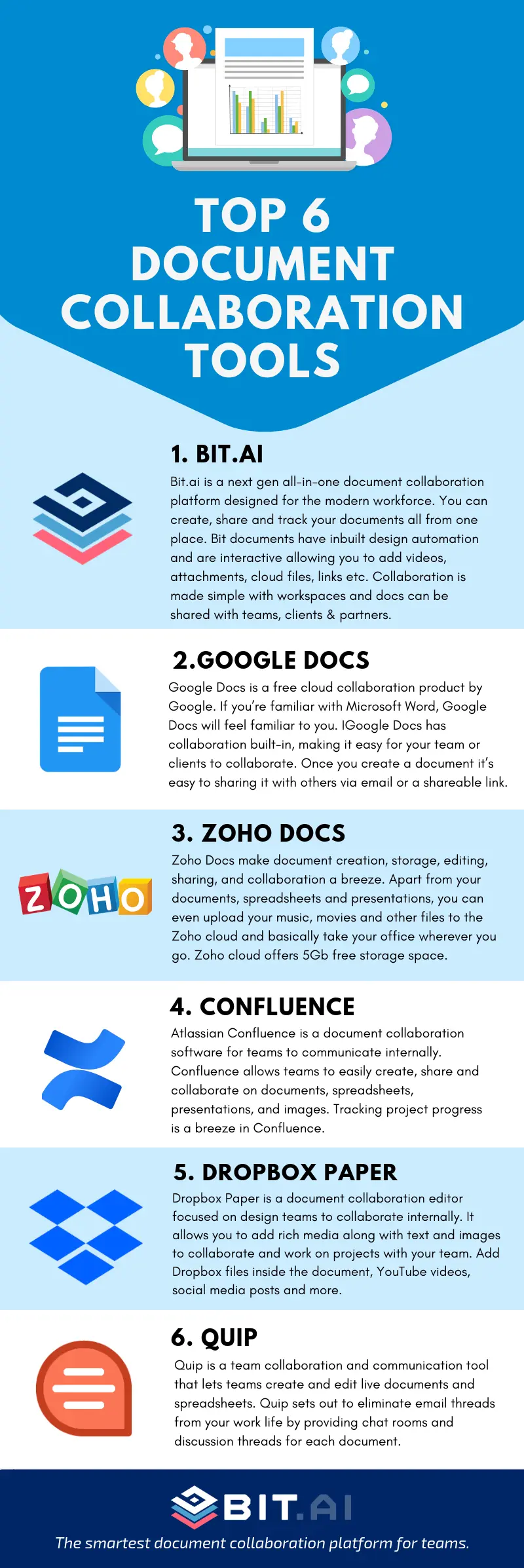
Popular document collaboration tools include Google Docs and Dropbox Paper. Google Docs provides comprehensive document creation and editing features with various formatting options, allowing users to make real-time changes. On the other hand, Dropbox Paper merges document creation with project management capabilities, allowing users to manage tasks alongside their documents.
In today’s fast-paced work environment, real-time collaboration is key. Document collaboration tools can significantly enhance productivity. Research indicates that organizations implementing such tools experience a 25% increase in collaboration efficiency. This data underscores the importance of software enabling quick feedback and updates, streamlining workflows, and minimizing delays.
For organizations looking to improve teamwork and project management, understanding the features and benefits of document collaboration tools is vital. The following section will explore these advantages, highlighting how they can enhance communication and optimize workflow efficiency.
Benefits of Document Collaboration Tools
Document collaboration tools enhance team communication and ensure everyone is aligned by allowing users to comment and provide feedback directly on documents. This streamlines project management and fosters a more connected working environment.
Efficiency in document creation improves significantly with these tools. They enable multiple users to edit files simultaneously, reducing the need for lengthy email exchanges that can delay projects. With real-time editing, teams can accelerate revisions, leading to quicker production of high-quality work.
Another key advantage is the automation of version control, which prevents issues with outdated documents. This feature streamlines workflows, allowing users to focus more on tasks than worry about maintaining document accuracy.
Additionally, these tools encourage engagement and knowledge sharing. By facilitating easy insight sharing, they boost creativity and innovation. Research indicates that organizations utilizing these tools experience a 30% increase in productivity, underscoring their effect on workflow efficiency.
Adopting document collaboration tools is essential for sustaining engagement and productivity as remote and hybrid work grows. Understanding their core features will help optimize workflows, a topic we will explore next.
Key Features of Document Collaboration Tools
When evaluating document collaboration tools, it is essential to consider features that enhance efficiency and teamwork. Key functionalities like autosave and real-time editing allow multiple users to edit simultaneously, which minimizes the risks of overwrites and loss of work. This dynamic process fosters immediate feedback and quick updates, making the review process more effective.
Additionally, robust version history and control are vital for clarity and accountability. These features allow teams to track document changes over time and easily access previous versions. This capability is invaluable in complex projects involving many stakeholders, as it reduces confusion and simplifies restoring edits.
Security is another critical aspect. Practical document collaboration tools enable admins to set access levels, safeguarding sensitive information and minimizing the risk of unauthorized access and data breaches.
Moreover, seamless integration with existing applications further enhances workflow. Document collaboration software helps teams streamline processes and boost overall productivity by ensuring compatibility with current tools.
In summary, when selecting document collaboration tools, prioritize features such as autosave, real-time editing, version control, user permissions, and integration. This will significantly enhance team productivity and collaboration.
Implementing Document Collaboration Tools in Your Workflow
Document collaboration tools are essential for enhancing processes and increasing team productivity. By adopting a systematic approach, you can improve efficiency across various projects. Here are the key steps for successful implementation:
Begin by identifying repetitive tasks that collaborative tools can improve. Analyze your workflows to locate tedious activities such as document creation, feedback collection, and version control. Streamlining these areas can yield significant improvements.
Next, select tools that meet your team’s specific needs. Explore the available document collaboration tools, considering their functionality, ease of use, and integration with your existing systems. Research shows that using tailored tools can enhance productivity by 25%.
Finally, train team members to use these selected tools effectively. Practical training ensures your team can utilize the collaboration tools effectively. Organizing workshops or training sessions can boost understanding and foster adoption, leading to a 40% reduction in task completion times.
By following these steps, you can foster a collaborative environment that promotes better communication, streamlines workflows, and minimizes the risk of miscommunication.
As you implement document collaboration tools, it’s important to consider best practices that enhance their effectiveness. Understanding these practices will help your team leverage the full potential of these tools, ensuring significant contributions to project success.
Best Practices for Effective Document Collaboration
Adopting best practices that enhance team communication is essential to maximizing the benefits of document collaboration tools. Start by clearly defining roles within the team to minimize confusion and streamline workflow. When team members understand their responsibilities, they foster accountability and boost productivity.
Additionally, communication norms should be established by setting guidelines on which tools to use for specific tasks. For example, project management software can track progress and messaging apps for quick inquiries. This clarity helps prevent miscommunication and ensures the team remains aligned.
It is also crucial to evaluate your collaboration efforts regularly. Review engagement metrics and gather team feedback to assess how effectively the tools function. This ongoing assessment can highlight areas needing additional training or adjustments, ultimately enhancing overall efficiency.
Implementing these practices can significantly improve team dynamics and document collaboration productivity. For further enhancement, consider how LoopIndex LLC’s advanced tools and methodologies can elevate your collaboration processes.
LoopIndex LLC: Enhancing Document Collaboration
LoopIndex LLC is a leader in document collaboration tools, providing innovative plugins for popular text editors. These tools integrate seamlessly into existing workflows, significantly boosting team productivity and efficiency. Their user-friendly design promotes quick adoption, enhancing teamwork across various departments.
One of LoopIndex’s standout features is its advanced editing capabilities. Real-time editing enables team members to make simultaneous changes, minimizing the delays often associated with document exchanges. Thanks to enhanced communication and faster decision-making, organizations utilizing these collaboration tools can experience an impressive increase in project speed, with up to 25% improvements.
In addition to editing, LoopIndex streamlines version control. Its tracking features allow users to monitor changes, access previous versions, and identify who edited what, thus enhancing accountability and minimizing errors. Effective version control is crucial, as it can reduce project errors by up to 30%, ensuring the quality of collaborative work.
Furthermore, LoopIndex fosters collaboration by allowing team members to leave comments directly in documents. This interactive method encourages feedback from all stakeholders, ensuring that everyone’s input is valued. By utilizing document collaboration tools, teams create an inclusive environment that nurtures creativity and innovation, leading to refined final products.
Conclusion
This blog post explored the critical role of document collaboration tools in enhancing workflow efficiency. These tools improve team communication and project management, leading to increased productivity and better collaboration in today’s fast-paced work environments.
Practical document collaboration tools offer features such as real-time editing and robust security. These elements are essential for selecting the right solution for your team. You can significantly enhance your team’s collaborative efforts by incorporating these tools and applying best practices.
Now is the time to take action. Start exploring document collaboration tools to leverage their transformative benefits. The right tools can create a more connected and productive work atmosphere, propelling your team toward tremendous success.
About LoopIndex
LoopIndex LLC enhances content creation and editing through innovative plugins for popular editors like TinyMCE, Froala, and CKEditor 4.
Their tools streamline the document editing process and improve team collaboration, version control, and accountability. Thus, they are essential for businesses and professionals to enhance their document workflows.
Enhance your content creation experience today by visiting loopindex.com!