
Today, fast workpace needs clear communication. The right document collaboration tools can make a big difference. It’s important to ask key questions before selecting your tool. This blog will share the important questions about document collaboration tools. If you need to improve productivity, this can help.
We will look at the main details of checking out different document collaboration solutions. Assess key features and know what your team needs. Plus, we will cover the real benefits of using these tools. Good practices will also be discussed to help you get the most out of them. You will be ready to integrate document collaboration tools, leading to teamwork and increased efficiency.
Collaboration Technologies: Document Collaboration and Cloud Storage
Collaboration technologies improve team productivity in the digital age. Document collaboration tools and cloud storage are vital for teams wanting to enhance workflows and achieve better results. These tools allow file access from any place, anytime, if internet connection exists. Such freedom helps remote teams access shared documents smoothly.
Many organizations use Google Drive and Microsoft OneDrive for cloud storage. These services not only help users store documents, they also offer collaborative editing and sharing options. With Google Drive, teams can work on files at the same time, capturing real-time contributions. This is key for remote groups needing effective collaboration despite distances.
Real-time collaboration creates a lively work environment. Team members can share ideas and get feedback quickly. It allows suggestions and edits to be made quickly too, getting rid of the problems of paper-based document methods. This quick action helps projects stay on track and boosts overall productivity.
That said, as teams rely more on cloud solutions for document collaboration, security matters. Data breaches and unauthorized access are risks to sensitive data. Organizations need to look closely at security in document collaboration tools like encryption and authentication. Research reveals 60% of companies worry about security in cloud computing. This underscores the need for secure tools.
When implementing document collaboration tools, think about how your needs align with these technologies. The right choice can boost efficiency, communication, and overall project success.
Next, ask key questions when looking at document collaboration tools, to ensure the ones you pick fit your team’s goals.
Must-Ask Questions for Evaluating Document Collaboration Tools
Before using document collaboration tools, evaluate the options to make sure they meet your team’s needs. Here are key questions for your evaluation process:
-
Evaluate your current methods of working together: what works or doesn’t? Analyze how your team collaborates on documents. Identify strengths and weaknesses in current processes. Getting feedback helps find specific issues that new tools should help fix.
-
Does the tool work for remote or hybrid environments? With more people working remotely or in hybrid setups, it’s important to check if the document collaboration tool helps teams in different locations work together easily. Look for tools that have strong remote capabilities, enabling access to documents from anywhere.
-
Is the tool flexible for future growth? Think about whether the document collaboration solution grows with your business. The tool should adapt to more users and complex workflows without losing performance or needing a total change.
-
What security features does the tool have? Security matters a lot for sensitive documents. Check the security measures offered, like data encryption, access controls, and compliance with regulations like GDPR. Know how the tool keeps your documents safe before choosing it.
-
How easy is it to set up and use? A new tool should boost productivity, not get in the way. Look at the onboarding process and how user-friendly the interface is. A complicated setup can lead to resistance from team members and reduce the tool’s effectiveness.
-
How affordable is it? Lastly, review the pricing for the document collaboration tools you’re considering. Compare the costs to your budget and look at pricing plans, such as subscriptions or tiers. Make sure the selected tool gives value based on its features, not only the immediate costs.
By asking these questions when evaluating, you’ll find a document collaboration tool that meets your needs now and in the future. This will help you as you look into specific features that make document collaboration tools work well, which we’ll discuss next.
Key Features of Effective Document Collaboration Tools
Choosing the right document collaboration tools is important in a digital workspace for teamwork and productivity. Here are some key features that make these tools work well:
-
Real-time editing is critical. This allows teams to collaborate seamlessly, no matter where they are. Users can edit documents at the same time. All changes are visible right away. This leads to fast feedback and good discussions.
-
Version control is important for tracking documents. It helps manage edits over time. Users can go back to earlier versions if needed. This way, teams can avoid confusion. A clear document history is always kept.
-
Cloud integration helps access documents on any device. Team members can work easily on their files whenever. It brings flexibility and solves file organization issues. Retrieval becomes less of a headache.
-
User permissions are needed for document access control. Good collaboration tools let admins set permission levels. This means sensitive info is protected. Users interact only with authorized documents.
-
Security measures must be in place for sensitive info. This includes encryption and secure sharing options. They protect documents from unauthorized access and ensure compliance with data regulations.
Knowing these features is key while you assess document collaboration tools. Keeping your team’s needs in mind is important before deciding to integrate.
Assessing Your Teams Needs for Document Collaboration
When integrating document collaboration tools, assess your team’s needs carefully. Consider the unique processes they use and how these processes match with existing collaboration methods. This understanding is key for successful integration.
Analyzing your team’s current sharing methods is an important step. Review how documents are shared, edited, and stored. Locate pain points like version control issues, feedback delays, or communication gaps. This helps pinpoint features needed in a new tool.
Scalability is also important. Your small team may grow over time. The document collaboration tool must adapt easily without losing efficiency. Research shows fast-growing companies often struggle to adjust collaboration tools as team sizes increase, which leads to frustration.
Involve team members in evaluations. The everyday users understand the requirements best. Gathering feedback from surveys or discussions can reveal specific needs that may not be clear. This approach improves the tool selection and gains team support.
In the end, understanding workflows, evaluating methods, planning for growth, and involving team members are vital in assessing needs for document collaboration tools. These steps will help in selecting the right tool and ensuring successful implementation that maximizes productivity.
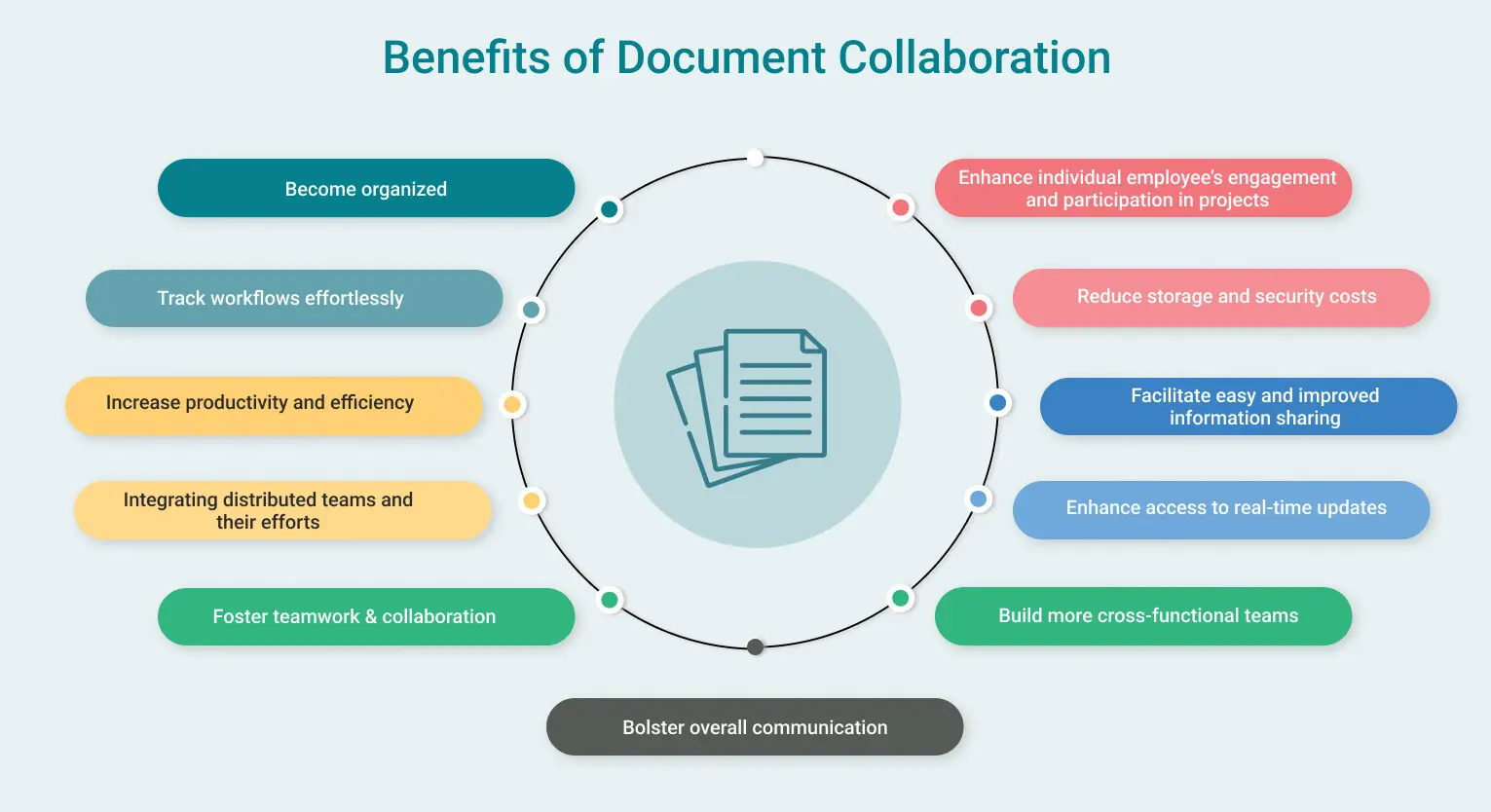
Benefits of Implementing Document Collaboration Tools
Document collaboration tools offer vital benefits in the modern business scene. One main perk is the boost in team productivity. With real-time editing available, several team members can edit a document at once. This cuts down the slow process of emailing files to each other. Workflow becomes smoother. Ideas can be shared quickly, which leads to faster project completion.
Effective communication is another important advantage of document collaboration tools. They include features such as comments and change tracking, providing a hub for discussions. This allows team members to engage over specific document issues. Misunderstandings become less likely, keeping everyone aligned on project goals.
Moreover, these tools shorten project turnaround times. Teams using document collaboration software can finish tasks significantly quicker. Estimates say it’s about 25% faster than less modern methods. Quick editing capabilities lead to fewer delays in decision-making.
Finally, introducing document collaboration tools encourages a teamwork-oriented culture. When team members work together in real time, they develop responsibility for shared documents. This upsurge in group interaction drives creativity, fostering an innovative atmosphere.
In short, using document collaboration tools can enhance productivity, communication, timelines, and collaboration culture. These aspects create a more efficient work setting, prepared to face today’s business challenges.
Comparing Document Collaboration Tools: Leading Options
As businesses depend more on remote and hybrid work, choosing the right document collaboration tools is crucial. Multiple platforms provide distinct features. This section looks at some of the top options available, giving insights into their abilities to assist you in making a smart choice.
-
Google Workspace provides solid collaboration features. It lets numerous users edit documents in real-time. Users access tools like Google Docs, Sheets, and Slides, which support comments, suggestions, and version histories. Integration with Google services such as Drive and Calendar benefits team communication. 85% of users report improved collaboration experiences.
-
Microsoft 365 is another strong player in document collaboration. Tools like Word, Excel, and PowerPoint promote smooth collaboration. Microsoft Teams assists communication, while SharePoint makes document management effective. With features like Track Changes it helps document editing, and diverse templates serve professional needs. Approximately 88% of Microsoft 365 users say they see greater efficiency in team projects.
-
Dropbox Paper stands out because of its simple design and strong collaboration abilities. This tool allows the creation of to-do lists, media embedding, and note-taking all in one document. It promotes creativity while keeping structure, making it great for teams focused on ideas. 67% of users report a better workflow among team members.
-
Notion is a flexible workspace. It merges note-taking, databases, and project management in one platform. It lets teams build shared documents, wikis, and databases, making it perfect for collaborative writing and planning. Notion’s adaptability supports many workflows, resulting in a 75% customer satisfaction rate due to its user-friendly layout.
When you compare document collaboration tools, it is important to assess individual features and see how they match up with your team’s needs. Understanding strengths and limitations in each tool can boost productivity and improve collaboration effectiveness in your organisation.
With a better grasp of these tools, the next step is implementing best practices that can further enhance document collaboration for your team.
Best Practices for Document Collaboration
To make the most of document collaboration tools, best practices must be followed. With effective collaboration, productivity and efficiency improve within teams. Here are some important practices to use:
First, set clear communication rules among team members. This means defining how and when team members must share updates and changes to documents. Clear communication cuts misunderstandings and makes sure that everyone knows what is new.
Second, check and update documents for relevance and accuracy regularly. Scheduling audits prevents using old data for decisions. This practice helps improve work quality and builds a culture of ongoing improvement.
Another vital step is using version control features offered by most document collaboration tools. Version control tracks changes and stores old document versions. This limits confusion when multiple people edit at once and makes sure that everyone sees the latest version.
Lastly, adding feedback management systems supports a smoother review process. Creating a systematic method for team members to give feedback helps speed up revisions while upholding high quality in documents. Using comment tracking or setting deadlines for feedback encourages responsibility and improves teamwork.
By using these best practices, organizations can boost collaboration, cut errors and create more coordinated workspaces, leading to improved outcomes in document collaboration efforts.
Conclusion
In summary, choosing the right document collaboration tools is key for improving your team’s productivity. This article talked about questions to ask when you assess these tools. It includes checking compatibility, understanding features, and knowing your team needs. We also noted the big benefits of using good document collaboration solutions and gave a look at top options available.
Now’s the time to use this knowledge and start to integrate the document collaboration tools that align with your organization’s goals. By asking questions and focusing on important items for your team, you ensure a smooth change, gaining benefits of these technologies. Recall that the right tools can really change how your team works together, and communicate, leading to success.
So, begin your review process today and welcome the changes that document collaboration tools could bring to your workplace!
About LoopIndex LLC
LoopIndex LLC specializes in enhancing content creation and editing through robust plugins for popular editors like TinyMCE, Froala, and CKEditor 4.
By streamlining the document editing process, LoopIndex empowers teams to enhance collaboration, maintain version control, and ensure accountability, making it an invaluable resource for businesses and professionals looking to improve their document workflows.
Experience the difference with LoopIndex’s powerful editing plugins today!